The financial world has seen a massive digital shift over the past two decades. Buying and selling shares no longer requires making tedious phone calls to traditional brokers. Modern technology places the entire market directly into the hands of everyday investors. Anyone with a smartphone and an active internet connection can now participate in global trading. This digital revolution has completely leveled the playing field for retail participants everywhere.
What is MetaTrader 4 (MT4)?
MetaTrader 4 is a very popular software used for online trading. MetaQuotes Software created this platform in the year 2005. It helps everyday traders access financial markets from their homes. It is important to know that this software is not a broker. Instead, it acts as a digital bridge between a trader and the actual market.
Within the trading community exploring mt4 india, the platform is highly regarded for its advanced technical tools. It provides everything an investor needs to analyze market trends and execute complex trading strategies. The metatrader 4 app brings all these powerful features directly to Android and iOS mobile phones.
The platform is particularly famous for its automated trading capabilities. It supports special computer programs called Expert Advisors. These programs analyze the market and execute trades automatically based on specific mathematical rules. This heavily reduces the emotional stress associated with manual trading. This makes it very convenient for active traders who cannot stay glued to a computer screen all day.
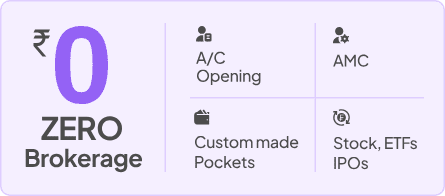
While this software is famous worldwide, local traders also have great modern options. Platforms like Pocketful provide direct access to stocks, options, and mutual funds. Pocketful offers a smooth experience with zero brokerage plans and advanced tools made specially for the domestic market.
How does MetaTrader 4 work
The software connects to a broker’s computer server to fetch live market data. Here is a clear look at how it operates on a daily basis:
- Live Price Updates: The platform receives real time price feeds from the broker. Traders can view these changing prices on interactive charts to see market trends clearly.
- Placing Orders: When a user decides to buy or sell, they click a button on the screen. The software instantly sends this command to the broker for execution in the market.
- Using Indicators: The software has built in tools called technical indicators.
- Automated Trading Bots: The platform supports Expert Advisors. These are computer programs that can trade automatically based on specific rules set by the user.
- Customization: Traders can change the colors of their charts. They can also draw lines on the screen to mark important price levels.
- Legal Compliance: Many users ask if metatrader 4 is legal in india for daily use. The software itself is perfectly legal as a technology tool. However, the trader must ensure their connected broker is regulated properly by local authorities.
How to Use MetaTrader 4
Step 1: Choose a Reliable Broker
The very first requirement is selecting a secure and regulated broker. For investing in the Indian stock markets, individuals might prefer modern platforms like Pocketful. Pocketful is a SEBI registered broker based in New Delhi. It provides a seamless Demat account experience with zero account opening charges and zero delivery brokerage. While Pocketful is excellent for Indian equities and mutual funds, forex traders usually need to find a specific broker that supports the MT4 system.
Step 2: Download the Software
The program is available for Windows and Mac desktop computers. Users can also download the mobile version from normal application stores.
Step 3: Log In to the Account
Open the installed program on the computer. Click on the file menu at the top corner and select the login option. Enter the account number, password, and the specific server details provided by the broker.
Step 4: Explore the Screen Layout
Take some time to understand the screen layout. The Market Watch window on the left side shows live prices for different assets. The Navigator window below it holds technical indicators, and the Terminal window at the bottom shows open trades.
Step 5: Open a Price Chart
Find an asset to trade in the Market Watch list. Right click on the asset name and select the chart window option.
Step 6: Place a Trade in the Market
After deciding the asset to trade place an order for that asset Enter size, and click the buy or sell button.
Step 7: Close the Trade
When it is time to take profits, go to the Terminal window at the bottom. Double click the active trade and select the close option. The profit or loss will immediately reflect in the account balance.
Read Also: Types of Financial Instruments available for Trading
Is MetaTrader 4 legal in india?
The software itself is merely a technology tool, making it entirely legal to download and install. However, the main concern involves how traders use it. The Reserve Bank of India has strict rules under the Foreign Exchange Management Act regarding foreign exchange transactions. Indian residents can only trade specific currency pairs involving the Rupee through authorized brokers on recognized local exchanges. Many offshore brokers offering this platform operate illegally in the country. The central bank regularly updates an alert list of these unauthorized platforms. Traders must always use locally regulated brokers to avoid financial penalties.
MetaTrader 4 vs. MetaTrader 5
While the older platform remains very popular, MetaQuotes also released a newer version called MetaTrader 5. The newer version was not meant to replace the old one. Instead, it was built to offer different features for a broader range of financial markets.
The newer version provides more chart timeframes and extra order types. Following are the differences between both the platform.
| Feature | MetaTrader 4 (MT4) | MetaTrader 5 (MT5) |
|---|---|---|
| Main Asset Focus | Mostly used for Forex trading globally. | Built for Forex, stocks, and futures markets. |
| Chart Timeframes | Offers 9 basic timeframes for charts. | Offers 21 different timeframes for charts. |
| Pending Orders | Supports 4 types of pending orders. | Supports 6 types of pending orders. |
| Programming Language | Built on the MQL4 coding language. | Built on the MQL5 coding language. |
| Economic Calendar | Not available inside the basic software. | Comes built directly into the software. |
| Strategy Testing | Slower speed, tests one item at a time. | Faster speed, tests multiple items at once. |
| Market Depth | Limited view of market depth data. | Better view of market depth and order books. |
Conclusion
Understanding financial tools is the first step toward a confident trading journey. Good software simplifies complex market data into readable charts and clear numbers. Whether an investor chooses a globally recognized software or a modern domestic alternative like Pocketful, the right technology makes a big difference.
Traders should always focus on learning the basics first. It is very helpful to practice with virtual money before risking actual capital.
Frequently Asked Questions (FAQs)
What is MT4 platform?
It is a software application used to view market prices, analyze charts, and place online trades safely.
What are main benefits of using MT4 or 5?
It is highly reliable, easy to use, and uses very little computer memory. It also supports automated trading robots.
How do traders use this software?
Users log in with broker details, open a price chart from the market watch window, and click the new order button to trade.
Is the platform a registered broker?
No, it is only a software tool. Users must connect it to a legally registered broker to place actual trades.
Does Meta 4 or MT5 available on a mobile phone?
Yes, a mobile version are available for both Android and iOS devices.